Real Estate and *stuff *
A real person helping real people with real estate
You can scroll the shelf using ← and → keys
You can scroll the shelf using ← and → keys
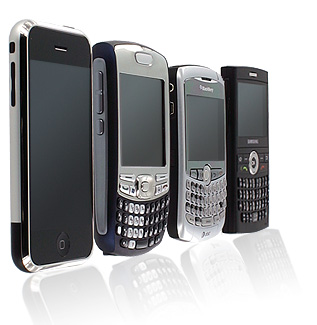 I know I said I was going to focus on appliance maintenance but this is so much more fun! Here is a list of downloadable iPhone and Android apps offer ways to maintain, improve, and save money on your home.
If you see a color at a friend’s house that would look great in your home, use Benjamin Moore’s Ben Color Capture or Sherwin-Williams’ ColorSnap, free mobile apps for iPhone, to conjure up a matching paint color and code in a jiffy. Take a photo with your phone, and the app matches the paint as closely as possible, and will display secondary and complementary colors. (ColorSnap is also available for BlackBerry.)
Good Housekeeping magazine has placed all their best stain-removal and cleaning advice into their free @Home app. It also includes decorating ideas and a searchable list of the 5,000-plus products that have earned a Good Housekeeping seal.
If you’re searching for a cheap replacement part, or looking for a deal on slightly-used appliances and materials, eBay’s free Mobile app lets you search the auction site’s entire marketplace from iPhone, Android, Windows Phone 7, and BlackBerry devices. You can also put any of your disused-but-functional household items up for sale and recoup some cash.
For listings close to home, search the popular Craigslist site through the free Craigsnotifica for Android or Craigspro for iPhone.
Finding lower prices on electronics and appliances used to mean driving from store to store or scanning Sunday circulars. With the free Price Check by Amazon, you can scan a product’s barcode at a store and compare the price against Amazon and other merchants. (Android and BlackBerry versions are also available.) PriceGrabber has a similar app for iPhone and Android.
For $1.99, the iHandy Carpenter app puts a ruler, protractor, bubble level, surface level, and plumb bob into your iPhone, allowing you to make measurements without lugging out the tool box. It’s perfect for simple jobs like hanging frames and mirrors.
Need just a level? There’s a free app for iPhone from iHandy and for Android from Johnson.
Before you approach a home improvement project, use the $1.99 Handy Man DIY to record dimensions of flooring, windows, walls, and more. It calculates how much material you’ll need and gives you a cost estimate.
If you’re in the middle of a home improvement job and need supplies, use the $4.99 Work Shop app to order them from your iPhone. It’s also a great tool for keep track of expenses or plan your budget for a future project.
With the iPhone’s bright display and the super-bright LED flash, you can use it in place of a traditional flashlight to illuminate crawl spaces, attics, cabinet recesses, and other dark spots. There are many apps for this purpose, but two favorites are the 99-cent Flashlight (and 99-cent Flashlight+.
Wonder why certain vegetation isn’t growing in your yard? Landscaper’s Companion provides a reference guide to more than 2,000 plants. You can search for a plant based on your garden’s sun exposure and garden zone, helping to ensure you won’t get any dead leaves after planting. The app costs $9.99.
Using your iPhone’s magnetometer, StudFinderPRO can help you locate studs by locating the magnetic fields emitted by metal objects like screws and nails. The app costs $2.99. A free Magnetic Stud Finder is available for Android devices.
Need decorating ideas for inspiration? Check out Home Interior Layout Designer–Mark On Call for $2.99. Created by an interior designer, the app can help you plan a space and determine if furnishings will fit. Also consider the $4.99 Living Room app for iPad and the 99-cent Dream Home app for iPhone.
This is so cool. I’m going to share it with my peeps
This is so cool, I’m going to share it with my peeps


 Real Estate and *stuff *